 RR Office
Word, Excel and PowerPoint files, in one Mac app
A document editor, a spreadsheet editor and a presentation editor together. Open Office files, edit them and save them back in the same format, with no account and no subscription.
₹1,499 Mac, one-time purchase
- Works offline
- No sign-in
- Three editors, one app
- Pay once
An office suite without the weight
Everything most people need from Word, Excel and PowerPoint, in one small, private Mac app.
Three editors, one app
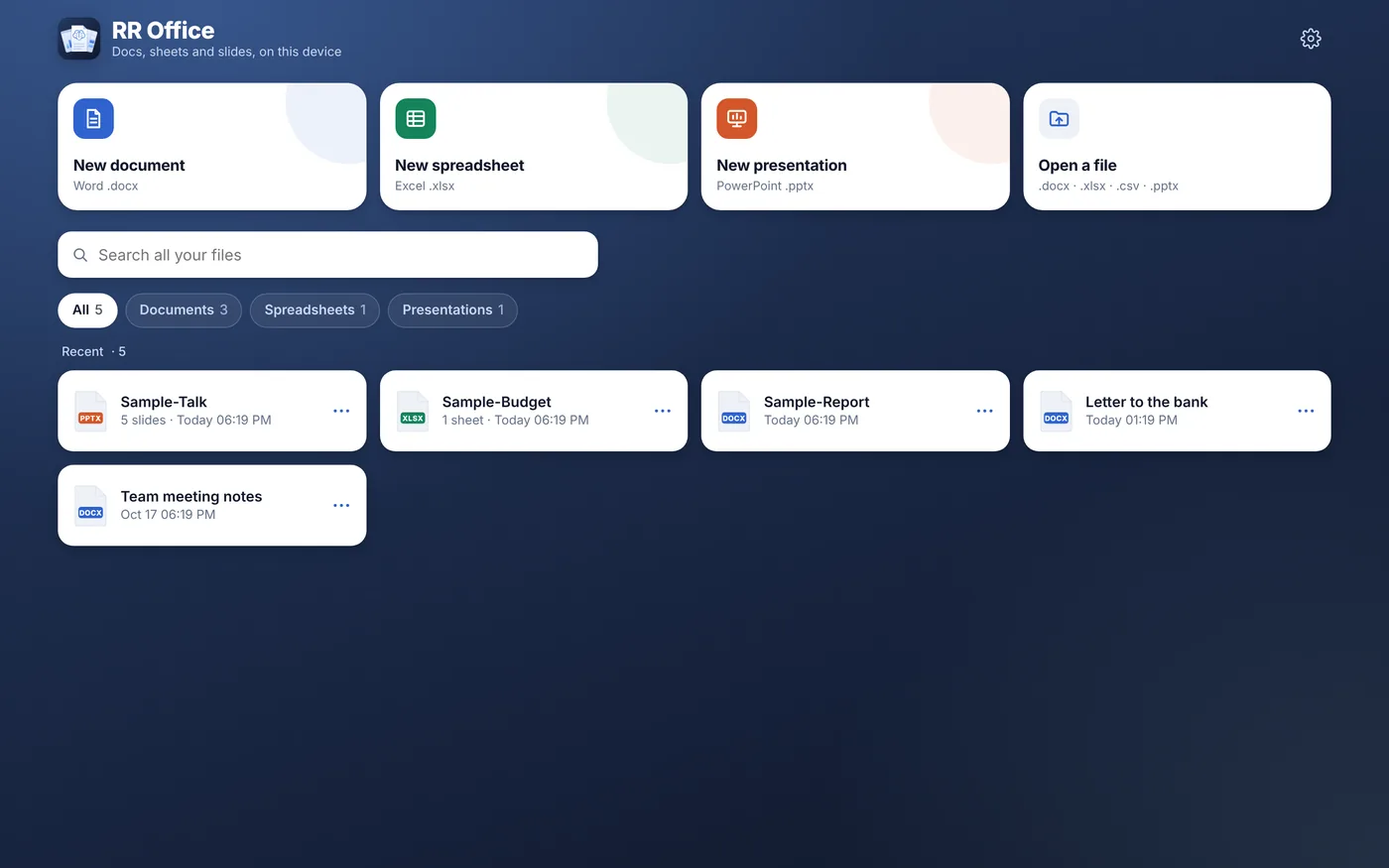
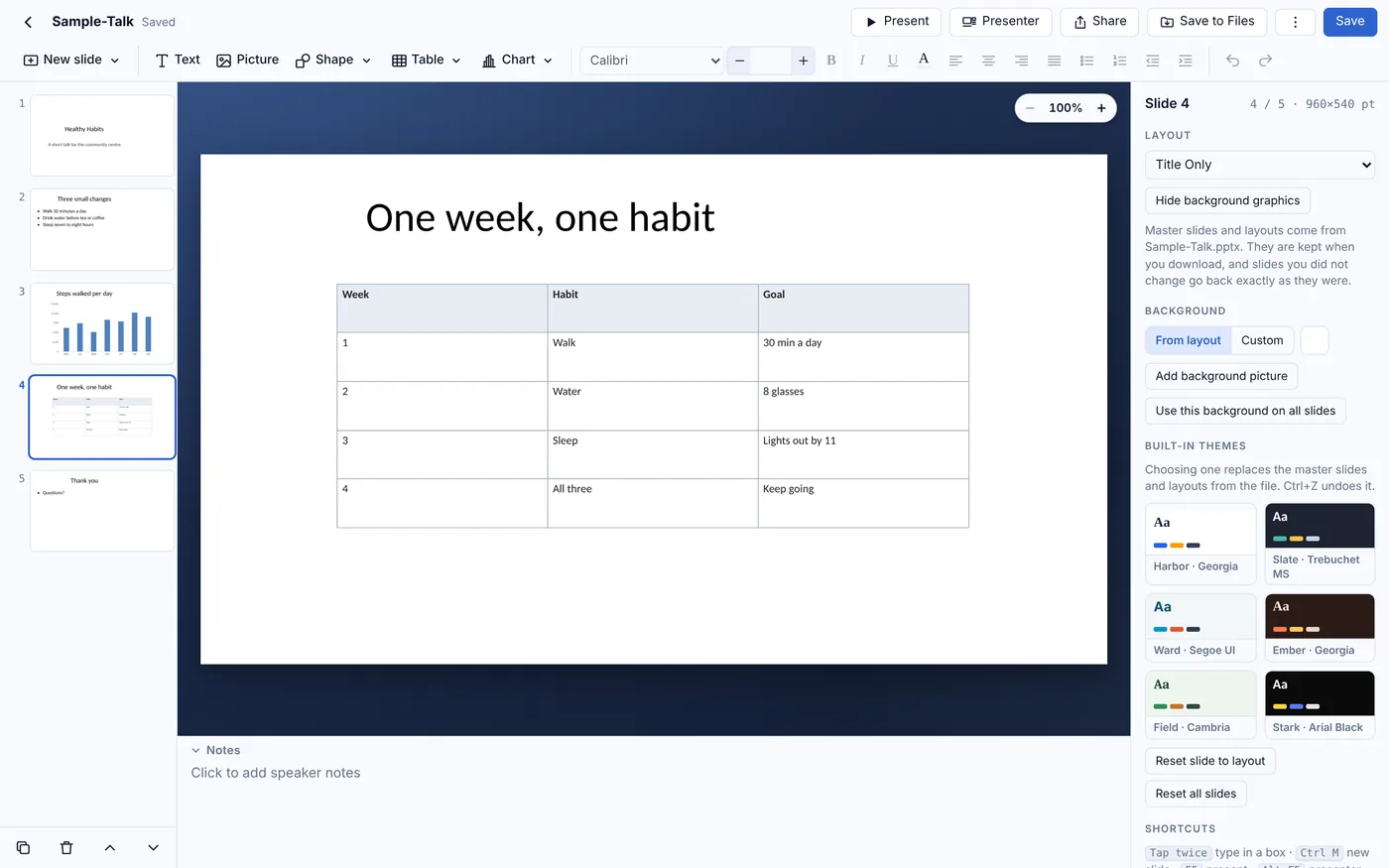
Documents, spreadsheets and presentations share one home screen with all your recent files, whatever their type.
Real Office files
Opens .docx, .xlsx, .csv and .pptx files and saves them back in the same format, so they still open in Microsoft Office.
A real Mac app
File menu with New, Open, Save and Print, Open With from Finder, one window per file, and the keyboard shortcuts you already know.
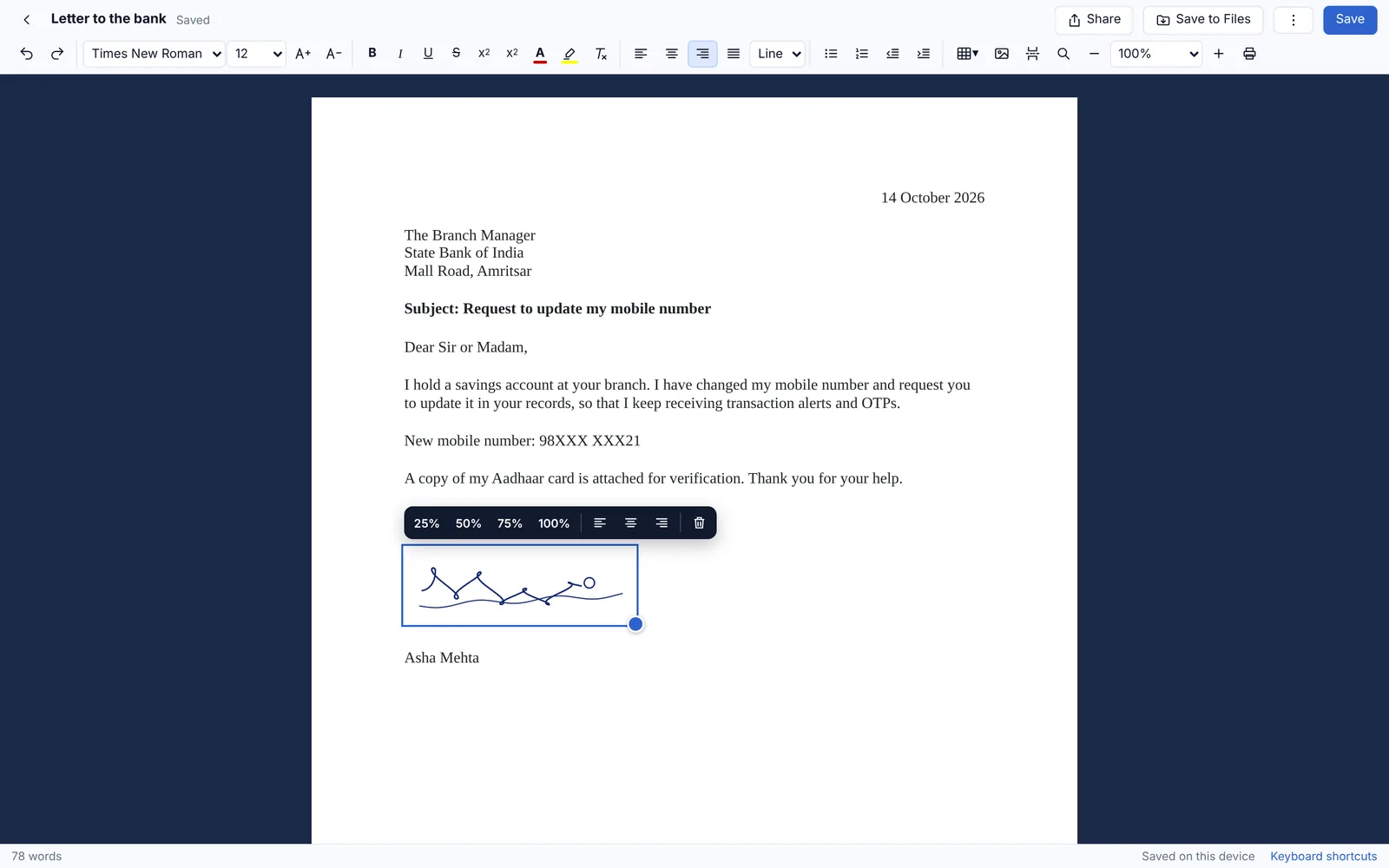
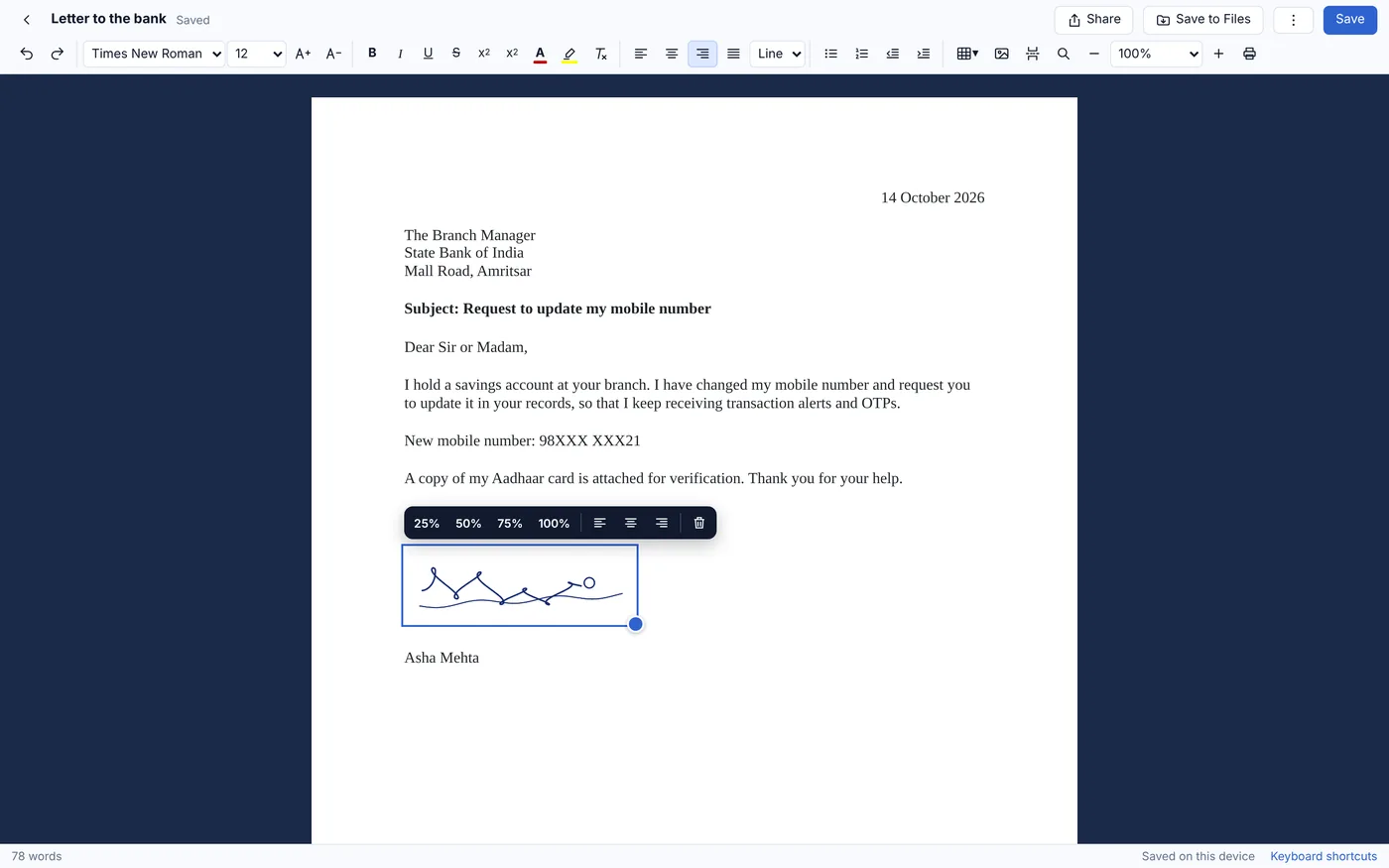
Letters with your signature
Paste a copied signature straight into a document, then print or save as PDF.
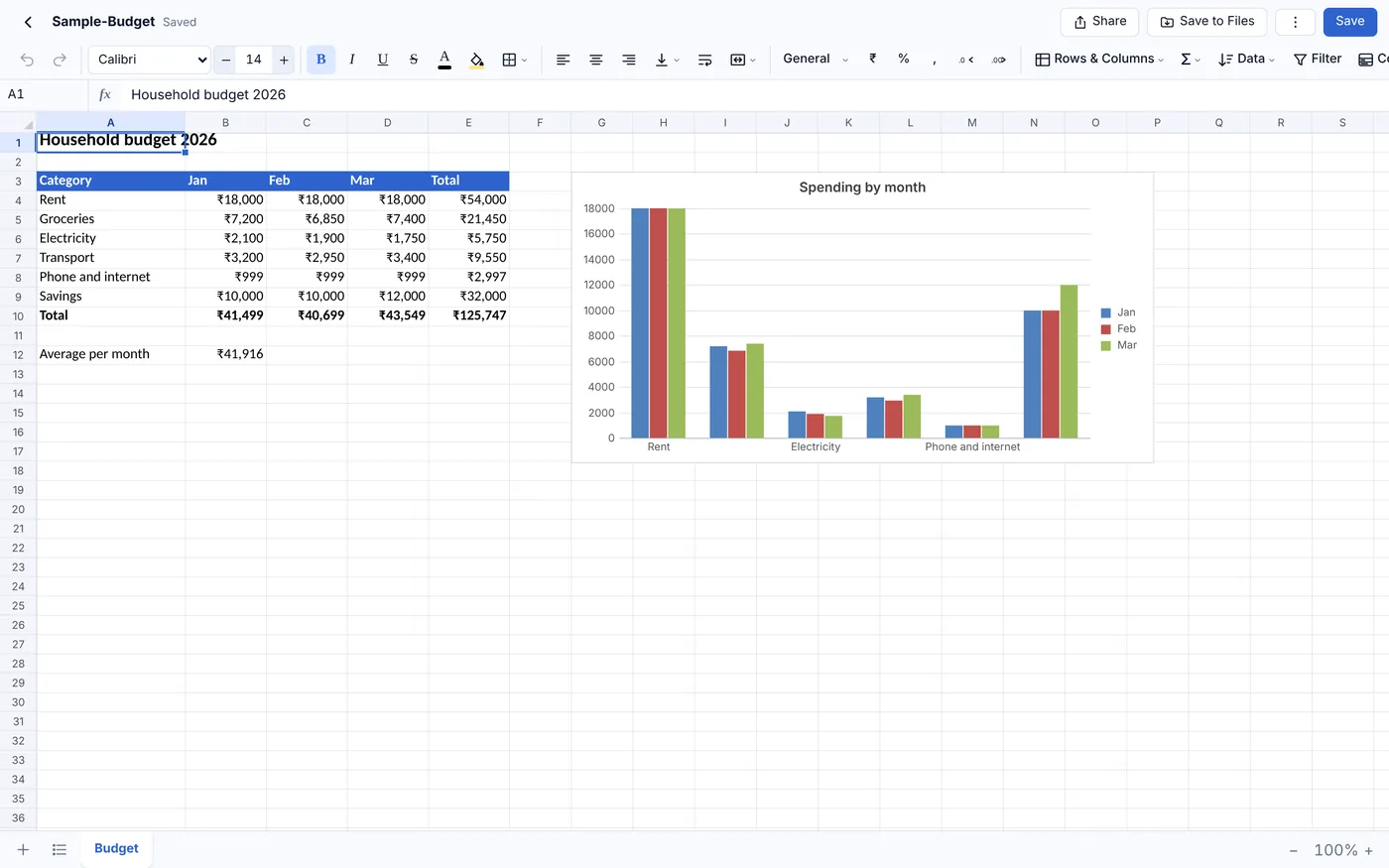
Over 220 formulas
SUMIFS, XLOOKUP, INDEX/MATCH, PMT, FILTER and more, with charts, filters and Indian lakh/crore formats.
Present on a second display
The projector shows the slides while your Mac shows your notes, the next slide and a timer.
Private and offline
No account and no sign-in. Files stay on your Mac and nothing is uploaded.
Pay once
One purchase on the Mac App Store. No subscription.
Screenshots
A real Mac app, with your documents, spreadsheets and slides in one place.
How RR Office compares
Microsoft 365, Apple iWork (Pages, Numbers and Keynote) and Google Docs, Sheets and Slides are all good apps. Here is where RR Office is different.
| Feature | RR Office | Microsoft 365 | Apple iWork | Google Docs, Sheets & Slides |
|---|---|---|---|---|
| Edits Word, Excel and PowerPoint files directly | Edits .docx, .xlsx and .pptx | Yes | Converts; exports Office copies | Converts, or edits in Office mode |
| Works without an account or sign-in | No account at all | Microsoft account needed | Yes | Google account needed |
| Works fully offline | Always | After signing in | Yes | Only with offline mode set up |
| Files stay on your Mac | Nothing is uploaded | Often saved to OneDrive | Often saved to iCloud Drive | Stored in Google Drive |
| Documents, spreadsheets and slides in one app | One app | Three separate apps | Three separate apps | Three apps, in a web browser |
| Made for the Mac | Mac menus, windows and shortcuts | Yes | Yes | Runs in a web browser |
| Price | ₹1,499, once | Subscription, or a one-time Office licence | Free | Free |
Based on publicly available information as of October 2026; features and prices of other apps can change. Microsoft 365, Apple iWork (Pages, Numbers and Keynote) and Google Docs, Sheets and Slides are trademarks of their respective owners. RR Office is not affiliated with Microsoft, Apple or Google.
Pricing
RR Office for Mac
₹1,499
One purchase on the Mac App Store
- Pay once, no subscription
- Documents, spreadsheets and slides
- Every feature included
- No account, no ads, no tracking
- Files stay on your Mac
Questions and answers
What is RR Office?
One Mac app with three editors: documents (Word .docx), spreadsheets (Excel .xlsx and .csv) and presentations (PowerPoint .pptx). Files are saved back in the same format.
Do I need an internet connection or an account?
No. RR Office works completely offline and has no sign-in.
Where are my files stored?
On your Mac, inside the app, and in any folder you save them to. Nothing is uploaded.
Is RR Office on iPhone or iPad?
On iPhone and iPad the three editors are separate apps: RR Doc Pro, RR Sheets Pro and RR Slides Pro.
Which Macs does it run on?
Macs with macOS 12 Monterey or later, on both Apple silicon and Intel.